Apple Just Put a New iPhone in Your Customer's Hand: Is Your Mobile Checkout Ready?
 By Muhammed Tüfekyapan
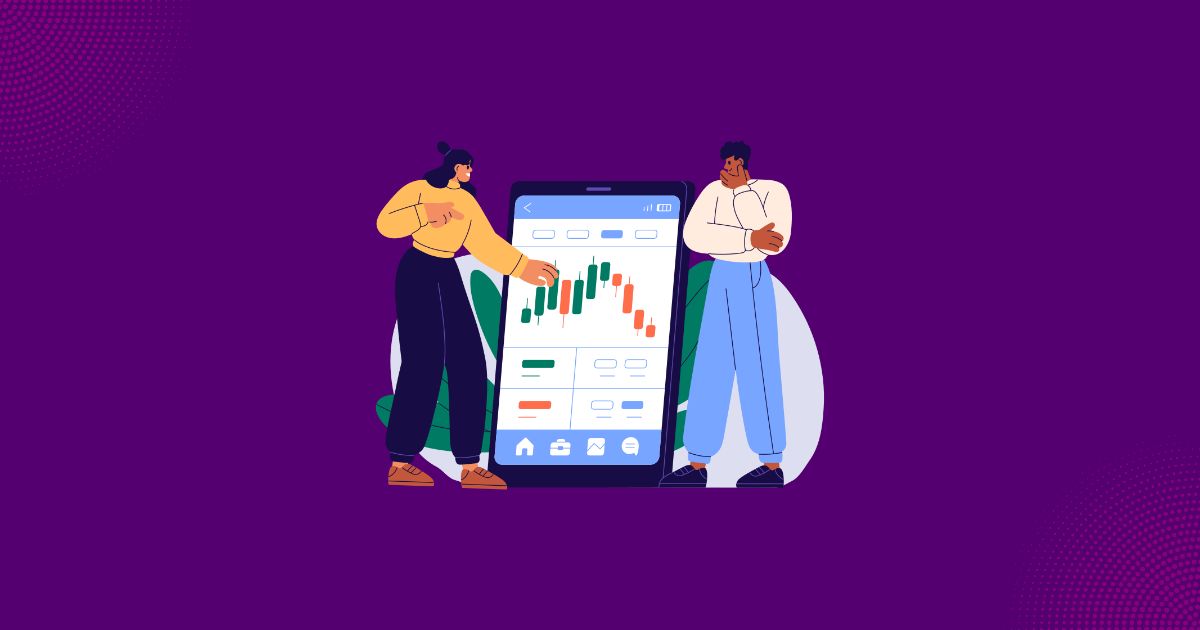
Sometime in the next two weeks, a few million of your customers will activate a new phone. The moment they do, your store stops recognizing them. The cookie that held their cart stays on the old device. The autofill that knew their address stays there too. So does the saved session that made checkout a two-tap affair. Your analytics will file your best repeat buyers as first-time mobile visitors. And your checkout will greet them with eleven empty fields.
The launch coverage will be about cameras and chips. The ecommerce commentary will say mobile keeps growing. Both miss the operational fact. A flagship phone launch is a mass identity reset, landing three weeks before the most valuable mobile traffic of the year. It does not send your store new customers. It re-labels your old ones. The stretch between activation day and the day the new phone re-learns its owner returns every year on a date you can circle in advance. Call it the Fresh Device Window.
By the end of this piece you will know exactly what a device swap breaks in your funnel, how to estimate the dollars at stake for your own store, and how to run a twenty-minute cold-device audit before the activation wave runs it for you. Start with what actually breaks.
Your Best Customer Is About to Look Like a First-Time Visitor
A phone upgrade moves the hardware. The identity layer never makes the trip. Your store experiences one person as two unrelated visitors, and the second one looks brand new at the exact moment they are ready to spend. Every returning-customer advantage you rely on drops to zero on session one of the new phone. The recognized cart. The prefilled checkout. The remembered preferences.
What the new phone does not bring with it
A trade-in box holds the old phone. Everything else stays behind. The first-party cookie that tied the cart to the customer. The autofill profile that filled eleven fields in one tap. The express wallet with the card already in it. That makes session one on the new phone the coldest session that customer will ever give you. Colder than their real first visit two years ago. Back then they were researching and patient. Now they are mid-decision, they have bought from you three times, and they expect the store to know it.
The dashboard reads the reset backwards
Nothing in your analytics is labeled device swap. The event arrives disguised as three separate movements. The new-visitor share of mobile sessions climbs. Returning-visitor conversion dips. Attribution drifts toward direct, because the email click happened on the old phone and the purchase on the new one. Read without the mechanism, all three look like a traffic quality problem. The merchant who blames the market pulls spend. Or worse, fires a promotion at strangers who are actually loyal customers re-finding the door.
A device swap does not create a new visitor. It creates an old customer your store has suddenly forgotten.
The Fresh Device Window Opens Before You Feel It
The launch cadence is predictable. Announcement in mid-September, devices in hands within about two weeks, upgrades clustering over the four to eight weeks after. That timing collides with the start of holiday research traffic, so the coldest sessions of the year overlap with some of the most valuable ones. Upgrades also skew toward your best customers. A four-figure phone purchase correlates with disposable income and bigger baskets.
The five-minute exposure estimate
Take a store doing $80K a month where mobile drives 65% of revenue. That is $52K touching a phone. Say 15 to 20% of those buyers pass through a fresh device during the window. That puts roughly $8K to $10K of monthly revenue into a cold session. If a cold, typed checkout underperforms your normal mobile checkout by even 10 to 15%, the Fresh Device Window quietly costs $800 to $1,500 a month. In the exact weeks you are paying the most to acquire traffic.
| Exposure line | Example number |
|---|---|
| Monthly revenue | $80,000 |
| Mobile share of revenue | 65% ($52,000 touches a phone) |
| Buyers inside the window (your estimate) | 15 to 20% |
| Revenue touching a cold session | $8,000 to $10,000 |
| Cold-checkout penalty | 10 to 15% |
| What the window costs per month | $800 to $1,500 |
Mobile revenue share, times the share of customers inside the window, times the cold-checkout penalty. Fill in your own three numbers. The formula matters more than the inputs.
The two numbers that size this year's window
Open last year's analytics. Pull mobile sessions for the three weeks after the late-September launch and the three weeks before it. Compare the new-visitor share. If it jumps several points while total mobile traffic stays flat, that delta is device swaps wearing a new-visitor costume, and it sizes this year's wave for your store. The second number is the share of mobile orders placed by visitors your analytics called new during that window. If it sits well above baseline, your store was already selling to strangers last year. The only open question is how much typing it made them do.
The Fresh Device Window is the one conversion risk of the year that sends its date a year in advance.
The Cold-Device Audit: Twenty Minutes on a Phone That Has Never Seen Your Store
The audit simulates exactly what the window does. Strip the identity layer, then try to buy. Open a private browsing window on your phone, or grab a spare device with no autofill and no saved session. Score what happens in keystrokes and taps, not impressions. Every typed character on a cold phone is a chance to close the tab.
The keystroke budget
Count what a cold device must type to give you money. A typed guest checkout asks for email, name, street, city, state, zip, and full card details. That is roughly eighty keystrokes across nine fields and about fifteen taps, on a six-inch keyboard with no autofill. An express wallet path asks for zero keystrokes, two or three taps, and a biometric confirmation. On a warm device, autofill quietly narrows the gap. Inside the Fresh Device Window the gap is at its widest. So the audit question is not "is my checkout good." It is "what share of my mobile checkouts can complete with zero typed characters."
| On a cold device | Typed guest checkout | Express wallet path |
|---|---|---|
| Keystrokes required | Roughly 80 across 9 fields | Zero |
| Identity source | Your cookies and autofill, both empty | The device itself, already authenticated |
| Typical failure points | Typing errors, field validation, card entry | Wallet not set up yet on the new phone |
| Time to complete | 2 to 4 minutes | Under 30 seconds |
| What the window does to it | Worst case of the year | Best case of the year, once configured |
Fix in order of speed, not in order of preference
The audit produces a ranked list on its own.
- Confirm the express payment options actually render: launch season is when fresh screen sizes expose layout drift, like a sticky header that swallows the pay button.
- Make the cart survive a session without an account: a shopper who adds on the old phone and returns on the new one has already told you what they want. Do not let the move kill the decision.
- Cut any field that cannot justify its keystrokes: every field you keep is a toll you charge a cold device.
When history is cold, the in-session experience has to carry the load. Growth Suite's cart drawer keeps the cart visible and alive on mobile without a page reload, with progress-based incentives that give a cold session a reason to keep building the basket. For stores on Shopify Plus, its checkout extensions put the offer progress bar and one-click upsells inside the checkout itself. The payment step gains no extra taps in the weeks when every tap is priced highest.
Recognize the Behavior, Not the Browser
The durable fix is architectural. Any recognition that lives in stored browser state resets every September. Recognition that lives in live behavior does not. A fresh device hides who the visitor is. It cannot hide what the visitor is doing.
Behavior survives the swap
Cookies reset. Intent does not. The shopper who spent twenty minutes comparing two variants on the old phone will retrace that path on the new one in ninety seconds. The speed itself is a signal no stored session could have given you. What is being viewed, how decisively, whether a cart is aging across visits: none of it depends on the browser remembering anything.
Build the swap-casualty segment before the window peaks
The segment worth building this week is the one the swap creates. Visitors on a mobile device who added to cart on a previous visit and never checked out. Decide now what that returning cold session sees, and what it does not see. Most people inside the Fresh Device Window are dedicated buyers mid-errand. The most expensive response available is blanketing them with a first-visit offer because your store lost the thread of who they were.
Growth Suite's behavioral targeting is built on exactly these live signals. It segments by device, by added to cart but did not check out last visit, and by returning after two or more days. It scores what the visitor does now, not what a cookie remembers, so a customer re-labeled as new by the swap is still treated by their behavior in the session. The single genuine offer stays reserved for the visitor whose cold session is truly about to end without an order, not for the dedicated buyer re-finding the door.
Identity resets every September. Intent announces itself every session.
How Many Keystrokes Will This September Cost You?
A flagship phone launch is not a traffic story. It is a mass identity reset with a fixed date. The Fresh Device Window re-labels your returning customers as first-time mobile visitors during the most valuable mobile weeks of the year, and your dashboard will misread it as a traffic problem. What breaks is specific: cookies, autofill, wallets, saved carts, and attribution.
This week, before the pre-orders arrive, open your store in a private window on your phone and buy your own best-seller. Count the keystrokes from product page to confirmation. That number is what the Fresh Device Window will charge you. The time to lower it is now, while the fix is still cheap.
If your checkout only works when the phone already knows who is holding it, Growth Suite helps you tell walk-away customers apart from dedicated buyers by reading live behavior instead of stored identity. It saves its one genuine, time-limited offer for the cold session that is truly about to end without an order. So you rescue the sessions that are actually stalling without discounting the loyal buyers who were already going to buy. It is free to install on the Shopify App Store, with a 14-day free trial that covers the rest of this year's window.
Frequently Asked Questions
Does a new iPhone launch actually affect my Shopify store?
Yes, but through identity rather than traffic. Every upgrade moves a customer to a device with no cookies, no autofill, and no saved session for your store. So returning buyers arrive labeled as new. Clustered over three to six weeks, that shows up as a higher new-visitor share on mobile and a dip in returning-visitor conversion. The sales you lose do not look like losses. They look like strangers who did not buy.
Why do returning customers suddenly look like new visitors in September?
Because a device swap does not migrate the identity layer. Cookies, local storage, saved carts, and autofill profiles stay on the old phone. The first session from the new device carries none of the signals your analytics uses to recognize a returning customer. One swap is invisible. But flagship upgrades cluster in the same few weeks every year, and when thousands of your customers reset at once, the aggregate numbers visibly move.
What is the fastest way to test my mobile checkout before the holidays?
Run a cold-device audit. Open your store in a private browsing window on your phone and buy your own best-seller. Count every keystroke and tap from product page to confirmation. Then repeat the same purchase with an express wallet. The gap between those two paths is what the post-launch weeks will charge you. Twenty minutes, no tools, and the result is a number you can actually fix.
Do express payment options really change mobile conversion?
They matter most when the device is cold. An express wallet moves identity from your cookies to the device itself. It replaces roughly eighty typed characters and nine fields with two or three taps and a biometric confirmation. On a warm phone, autofill narrows that gap quietly. During the weeks after a major phone launch, when autofill and saved sessions are at their emptiest, the difference between the two paths is at its widest.
Should mobile visitors get different offers than desktop visitors?
They should get different treatment, not deeper discounts. Device-based segments and signals like an abandoned cart on the previous visit tell you far more than the fact that someone is on a phone. Most mobile buyers in the post-launch window are dedicated buyers mid-errand, and a first-visit discount hands them margin they never asked for. Reserve the one genuine offer for the cold session that is actually stalling.
Ready to Implement These Strategies?
Start applying these insights to your Shopify store with Growth Suite. It takes less than 60 seconds to launch your first campaign.
Muhammed Tüfekyapan
Founder of Growth Suite
Muhammed Tüfekyapan is a growth marketing expert and the founder of Growth Suite, an AI-powered Shopify app trusted by over 300 stores across 40+ countries. With a career in data-driven e-commerce optimization that began in 2012, he has established himself as a leading authority in the field.
In 2015, Muhammed authored the influential book, "Introduction to Growth Hacking," distilling his early insights into actionable strategies for business growth. His hands-on experience includes consulting for over 100 companies across more than 10 sectors, where he consistently helped brands achieve significant improvements in conversion rates and revenue. This deep understanding of the challenges facing Shopify merchants inspired him to found Growth Suite, a solution dedicated to converting hesitant browsers into buyers through personalized, smart offers. Muhammed's work is driven by a passion for empowering entrepreneurs with the data and tools needed to thrive in the competitive world of e-commerce.
More Insights from Our Blog
Continue reading for more expert tips and strategies to grow your Shopify store

60 Days Until Black Friday: What to Lock In This Week and What Can Still Wait
Black Friday is 60 days out. Some decisions get more expensive every week they stay open, and some get smarter. Here is how to tell which is which.
5 Numbers From Your Q3 Data That Should Decide Your Black Friday Offers
Your Black Friday offer is five settings, and Q3 already contains all of them. Read the five numbers that set depth, scope, mechanic, window, and audience.

Your Black Friday AOV Is Decided in September: Build the Upsell Funnel Now
Your Black Friday AOV is set by upsell take rate, and take rate is calibrated in September. The math: trigger rules, product picks, priority.
Explore more
Resources

Shopify Upselling & Cross-Selling
Most Shopify stores leave 10-30% of revenue on the table because they do not upsell or cross-sell effectively. This...

Shopify Conversion Rate: The Complete Resource Hub
Your conversion rate is the most important number in your Shopify store. Learn how to measure it, diagnose problems,...

Shopify Holiday & Seasonal Campaign Strategies
Every holiday has its own shopping psychology. Plan year-round campaigns with the right discount, right timing, and...

Shopify Countdown Timer
Adding a timer takes 5 minutes. Making it convert without destroying trust? That's strategy. The complete guide to...

Shopify Cart Abandonment
70% of Shopify carts are abandoned. Learn why customers leave, how to prevent abandonment in real-time, and recover...

Shopify Discount
Master Shopify discounts without sacrificing your profit margins. Learn strategic discount techniques, timing...